Basics7 min read
Receive SMS Online Without a SIM Card: The Complete Guide
Everything you need to get verification codes without handing out your personal number: what a virtual number is, how the options compare, and a step-by-step walkthrough from sign-up to copied code.
On this page
Sooner or later, most apps ask for a phone number. Handing over your personal one is the easy answer, but not always the right one: maybe you’d rather keep it out of yet another database, you’re traveling, or you simply don’t have a second line. The good news: you can receive SMS online without a SIM card, on a real mobile number whose messages show up in your browser.
Why apps ask for a phone number
SMS verification is simple: you enter a number, the app texts a short code to it, and you type the code back. That proves you control the number at that moment, and nothing more.
Apps ask for it for a few reasons:
- To slow down fake accounts. An email address takes seconds to create; a phone number usually costs something, so asking for one makes spam and bot sign-ups more expensive.
- To recover your account. If you forget your password, a code sent to your number can let you back in.
- To secure new logins. Many services text you a code when you sign in from a new device.
- To keep one account per person. Messaging apps in particular often tie each account to exactly one number.
Why you might keep your own number out of it
Your personal number follows you for years, and every app that stores it is one more place it can leak from. Once it sits in a breached database, it can be matched to your name, flooded with spam and phishing texts, or targeted in a SIM-swap attempt, where someone talks your carrier into moving your number to their SIM. A separate number for sign-ups keeps your real one out of reach, and keeps work, personal and test accounts apart.
What a virtual number for verification is
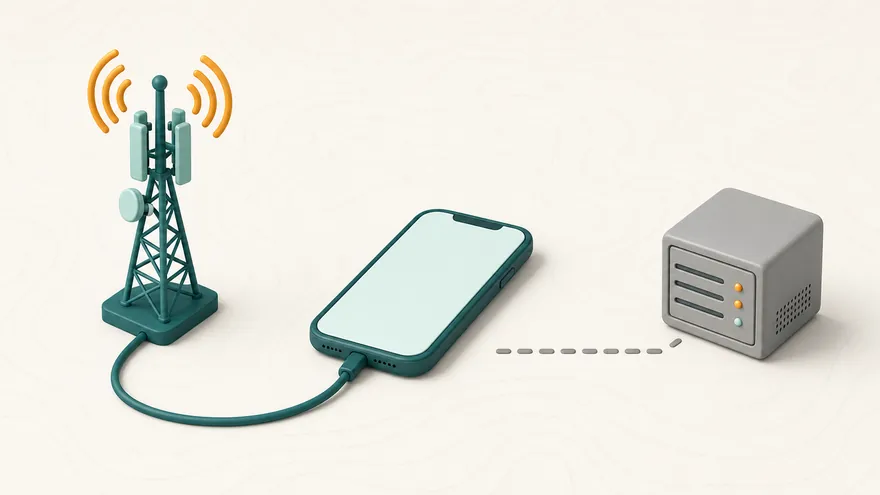
A virtual number is a real phone number on a mobile network in a given country, whose incoming texts are shown to you on a web page instead of arriving on your phone. The SIM or line exists (the provider runs it); you just don’t need it in your device. When the app sends its code, the message travels over the mobile network like any other text and appears in your browser, usually within seconds. It works the same from a laptop, a tablet or a phone abroad.
You can use one in two ways:
- One-time number (an “activation”): reserved for one code from one app. Cheap and fast, and finished once the code arrives.
- Rented number: reserved for your account for days or weeks, receiving every SMS sent to it, so you can log back in or verify again later.
Both are receive-only: you can’t send texts or take calls from them. Note that “virtual” describes how you receive the messages, not the kind of line behind them. Many apps turn away VoIP numbers, the internet-calling kind, so the network matters more than the label; non-VoIP vs VoIP numbers explains how apps tell them apart.
Your options, compared
There are five realistic ways to receive a verification code. None is best for everything, so here are the trade-offs side by side.
| Option | Privacy | Accepted by apps | Works again later | Cost |
|---|---|---|---|---|
| Your own number | Low: the app gets your real number | Widest | Yes | Your phone plan |
| Second SIM | Medium: often registered in your name | Wide | Yes, while the line stays active | A prepaid plan and a spare SIM slot |
| Free public inbox | None: anyone can read the code | Often poor: numbers are heavily reused | Rarely | Free |
| Paid one-time number | High: only you see the code | Often good; check the delivery rate | No, one code | From about $0.10 per code |
| Rented number | High: only you see the codes | Often good; physical SIMs most accepted | Yes, for 7, 14 or 30 days | From about $4 for 7 days |
A few notes on each:
- Your own number is the most accepted and the least private. Keep it for your bank, government services and anything tied to your legal identity.
- A second SIM works well if you have a spare slot, but in many countries prepaid SIMs must be registered with ID, and the line lapses if you forget to top it up.
- Free public inboxes show every message to every visitor, so anyone can read your code, and later request a new one to take over the account. Fine for a throwaway sign-up, risky for anything else; free SMS sites vs virtual numbers goes through the risks.
- Paid one-time numbers are private and cheap, but made for a single code.
- Rentals cost more but stay yours for the whole term, which matters for accounts that verify again. Renting vs a one-time number helps you pick.
How to receive SMS online with SimBeep, step by step
From an empty account to a copied code usually takes a few minutes.
- Create an account. An email address and a password are all you need: no ID and no phone number of your own. You’re logged in straight away; use an email you can open, since it’s how you reset a forgotten password.
- Top up your balance. Add at least $20 in Bitcoin, Ethereum, Tether (USDT on TRON) or Monero. The balance is credited once the network confirms the payment: a few minutes for USDT, ETH and XMR, typically 10 to 30 minutes for BTC. SimBeep adds no fees; you only pay your wallet’s network fee.
- Pick the app and the country. On the one-time numbers page, search for the app that’s asking for a number, then choose a country. Every mobile network is listed with its live price, how many numbers it has free and its measured delivery rate. The best one is already selected.
- Get the number and paste it into the app. Have the app’s phone-verification screen open first, so the clock isn’t running while you fill in forms. Reserve the number, pick the matching country code in the app, enter the rest of the number without repeating the prefix, and request the SMS. At this point the price is only held on your balance, not charged.
- Copy the code. The SMS appears in your order seconds after the app sends it, with the code extracted and a copy button. The page updates on its own, so there’s no need to refresh.
- If nothing arrives, you pay nothing. The number waits 20 minutes for the code. After 2 minutes without an SMS you can cancel and try another network; if the window runs out, the hold is released automatically, no ticket needed. When the SMS code doesn’t arrive covers the usual causes.
How to choose the country and network
When it comes to whether the code arrives, the country and network matter far more than the price.
Country
If the account is tied to a place, such as a local marketplace, a ride-hailing app or a regional store, take a number from that country. Some apps add extra checks when the number’s country doesn’t match where you appear to be. If location doesn’t matter, start with whichever country shows the best delivery rate for your app; the countries directory shows what’s available where.
Network and delivery-rate bars
Each network shows four signal bars for its delivery rate: the share of recent orders where the code actually arrived. Four bars means codes arrive most of the time; one bar means the route works, but less reliably. Because you’re only charged when a code arrives, a weaker network costs you time, not money.
- Trust the pre-selection first. It favors networks with enough numbers in stock and a proven rate, then the lowest price.
- Don’t chase the cheapest line. A few cents saved on a one-bar network can cost you several retries.
- Expect popular apps to cost more. Prices start around $0.10 per code, while popular apps like Telegram often cost $0.50 to $2 depending on the country and network.
- Switch networks before switching countries. If one network fails, another in the same country often works.
Safety tips for virtual numbers
- Match the number to the account’s lifespan. One code and done? A one-time number is enough. An account you’ll log back into? Rent the number, and since rentals never renew on their own, renew before the end date or the number returns to the network’s pool.
- Add a second way in. Once you’re in, add a recovery email and, where offered, an authenticator app or passkey, so the account doesn’t depend on a number you won’t hold forever.
- Keep accounts you care about off public inboxes. A code anyone can read is a key anyone can use.
- Keep your own number for identity-linked services. Your bank, tax portal and similar accounts should stay recoverable for years.
- Use a strong, unique password. It protects your SimBeep balance; a password manager makes it painless.
Virtual numbers are for privacy and legitimate use, not for fraud or getting around bans; the acceptable use policy spells out the limits.
Next step: open the one-time numbers page, pick your app and country, and check the delivery-rate bars before you reserve a number. If no code comes, the hold goes back to your balance on its own.
Questions
Can I receive SMS online for free?
Yes, public inbox sites let you, but every message they receive is visible to anyone, and their numbers are reused so often that many apps reject them. They’re fine for a throwaway sign-up, not for an account you want to keep.
Do I need a phone or a SIM card at all?
You need whatever device you use for the app itself, and a computer is often enough, but no SIM card: the SMS goes to the virtual number and appears in your browser.
Can I use the same number again later?
A one-time number is for one code from the app you picked, within its 20-minute window. If the app will ask for a code again, for example when you log in on a new device, rent a number for 7, 14 or 30 days instead.
What happens if the code never arrives?
You are not charged. The price is only held while the number waits, and it’s released automatically after 20 minutes; you can also cancel after 2 minutes and try another network.
Is it legal to use a virtual number for verification?
In most places, using a second number to keep your own private is legal. What matters is how you use it: fraud, impersonation and ban evasion are off-limits, and each app’s own terms still apply.
Get a number in seconds
1,296 apps, 145 countries, charged only when the code arrives.
Keep reading
-
 What Is a Non-VoIP Number? Why Apps Reject VoIP Numbers
A non-VoIP number runs on a real mobile network, so it usually passes the checks that block VoIP. Learn how apps vet numbers and what to do if one fails.
Read the guide
What Is a Non-VoIP Number? Why Apps Reject VoIP Numbers
A non-VoIP number runs on a real mobile network, so it usually passes the checks that block VoIP. Learn how apps vet numbers and what to do if one fails.
Read the guide
-
 Free SMS Receive Sites vs a Private Virtual Number
Free SMS receive sites show your code to anyone. See the real risks, when a free inbox is fine, and what a private number charged only on arrival adds.
Read the guide
Free SMS Receive Sites vs a Private Virtual Number
Free SMS receive sites show your code to anyone. See the real risks, when a free inbox is fine, and what a private number charged only on arrival adds.
Read the guide
-
 Rent a Phone Number for SMS or Use a One-Time Number?
One-time vs rental number: when a single code is enough, when to rent a phone number for SMS, what each really costs, and how to keep a rented number.
Read the guide
Rent a Phone Number for SMS or Use a One-Time Number?
One-time vs rental number: when a single code is enough, when to rent a phone number for SMS, what each really costs, and how to keep a rented number.
Read the guide